> ## Documentation Index
> Fetch the complete documentation index at: https://docs.novita.ai/llms.txt
> Use this file to discover all available pages before exploring further.
# Zed
> Connect Zed to Novita's OpenAI-compatible LLM API endpoint.
Zed is a high-performance, multiplayer code editor with built-in AI features. You can connect Zed to Novita's OpenAI-compatible LLM API endpoint as a custom OpenAI-compatible provider, and use Novita models in the Agent Panel, Inline Assistant, and other Zed AI features.
## Prerequisites
Before you begin, prepare the following values:
* **API key**: Create or copy an API key from [Key Management](https://novita.ai/settings/key-management).
* **Base URL**: `https://api.novita.ai/openai/v1`
* **Model ID**: Copy the model ID you want to use from the Model Hub, such as `deepseek/deepseek-v4.1-flash`.
Keep your API key private. Enter it only in Zed's settings UI (it is stored in the system keychain) and never commit it to a Git repository.
## Add Novita as an OpenAI-compatible provider
Open Zed's command palette and run:
```text theme={"system"}
agent: open settings
```
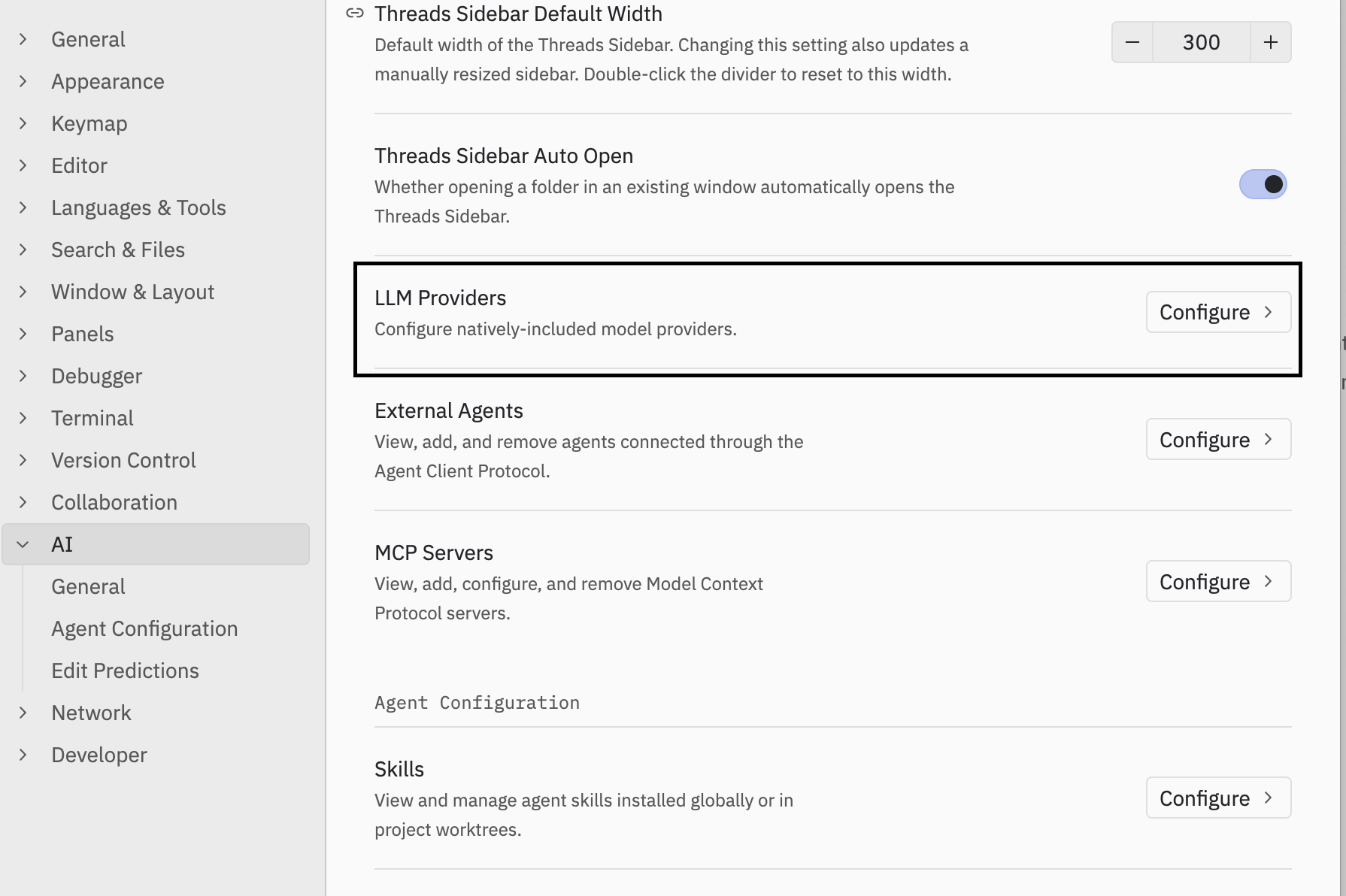
Under **AI** settings, click **Configure** next to **LLM Providers**:
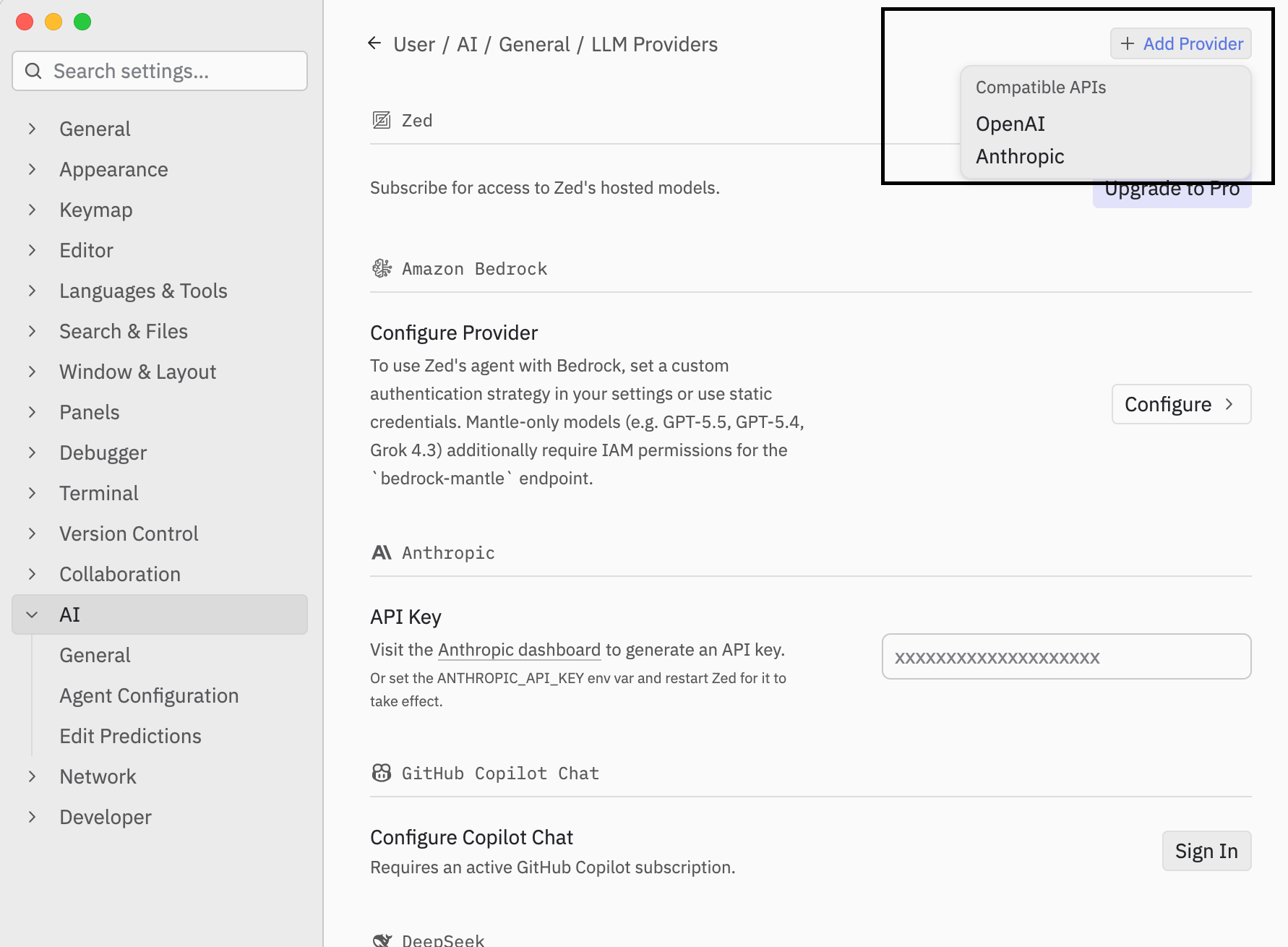
 Click **Add Provider**, choose **OpenAI** under **Compatible APIs**, and fill in the provider name, API URL, model ID, and context window:
 Alternatively, configure the provider directly in your `settings.json`:
```json theme={"system"}
{
"language_models": {
"openai_compatible": {
"novita": {
"api_url": "https://api.novita.ai/openai/v1",
"available_models": [
{
"name": "deepseek/deepseek-v4.1-flash",
"display_name": "Novita: DeepSeek V4.1 Flash",
"max_tokens": 1048576
}
]
}
}
}
}
```
Set `max_tokens` to the model's context window. Check the current value for your model in the [Model Hub](https://novita.ai/models), since it varies per model.
Enter your Novita API key in the provider settings UI, or set it as an environment variable. For a provider named `novita`, Zed reads `NOVITA_API_KEY` from its process environment (generated from the provider ID as upper snake case plus `_API_KEY`). Do not put the API key in `settings.json`.
## Start using Novita models in Zed
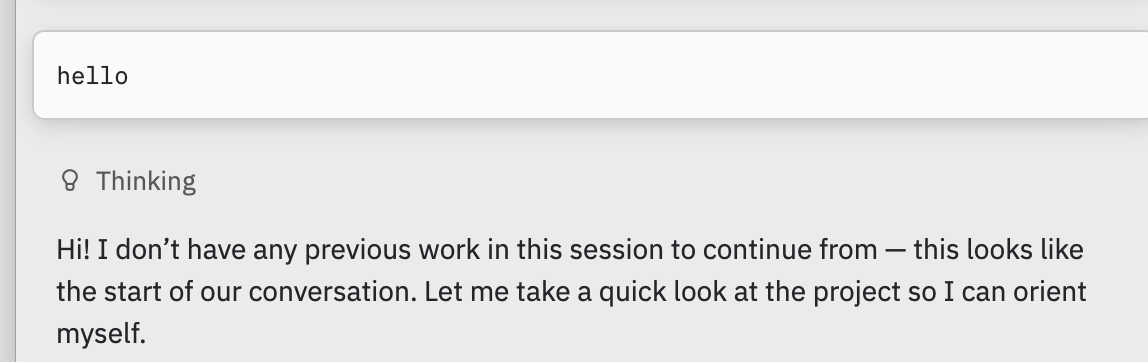
Open the Agent Panel and select your Novita model from the model picker. Send a test prompt:
```text theme={"system"}
In one sentence, tell me what programming tasks you can help with.
```
Alternatively, configure the provider directly in your `settings.json`:
```json theme={"system"}
{
"language_models": {
"openai_compatible": {
"novita": {
"api_url": "https://api.novita.ai/openai/v1",
"available_models": [
{
"name": "deepseek/deepseek-v4.1-flash",
"display_name": "Novita: DeepSeek V4.1 Flash",
"max_tokens": 1048576
}
]
}
}
}
}
```
Set `max_tokens` to the model's context window. Check the current value for your model in the [Model Hub](https://novita.ai/models), since it varies per model.
Enter your Novita API key in the provider settings UI, or set it as an environment variable. For a provider named `novita`, Zed reads `NOVITA_API_KEY` from its process environment (generated from the provider ID as upper snake case plus `_API_KEY`). Do not put the API key in `settings.json`.
## Start using Novita models in Zed
Open the Agent Panel and select your Novita model from the model picker. Send a test prompt:
```text theme={"system"}
In one sentence, tell me what programming tasks you can help with.
```
 If the request fails, check that:
* Your API key is correct and entered in the provider settings UI (or the generated environment variable is set).
* The API URL is `https://api.novita.ai/openai/v1`.
* The model ID exactly matches the Model ID in Novita's Model Hub.
This documentation is built and hosted on [Mintlify](https://mintlify.com), a developer documentation platform.
If the request fails, check that:
* Your API key is correct and entered in the provider settings UI (or the generated environment variable is set).
* The API URL is `https://api.novita.ai/openai/v1`.
* The model ID exactly matches the Model ID in Novita's Model Hub.
This documentation is built and hosted on [Mintlify](https://mintlify.com), a developer documentation platform.