Command Code is an AI coding agent CLI that runs in your terminal. It supports Bring Your Own Key (BYOK) providers, so you can connect it to Novita’s OpenAI-compatible LLM API endpoint and use Novita models for coding, debugging, refactoring, and project Q&A.
BYOK in Command Code is in beta. Provider configuration may change; check Command Code’s BYOK docs if a step below doesn’t match what you see. Prerequisites
Before you begin, prepare the following values:
- API key: Create or copy an API key from Key Management.
- Base URL:
https://api.novita.ai/openai/v1
- Model ID: Copy the model ID you want to use from the Model Hub, such as
deepseek/deepseek-v4.1-flash.
Keep your API key private. Use it only in your local Command Code configuration and never commit it to a Git repository.
Install Command Code
Command Code requires Node.js 22 or newer.
Install Command Code globally with npm:
Check the version:
Open your shell configuration file, for example ~/.zshrc:
Add the following environment variable:
Reload your shell configuration and confirm the variable is available:
Add Novita as a BYOK provider
Command Code stores BYOK provider configuration in ~/.commandcode/providers.json. Novita is already in Command Code’s bundled provider registry, so you can connect it in a few steps through the interactive /connect menu, or add it by editing the file directly.
Option 1: Interactive setup
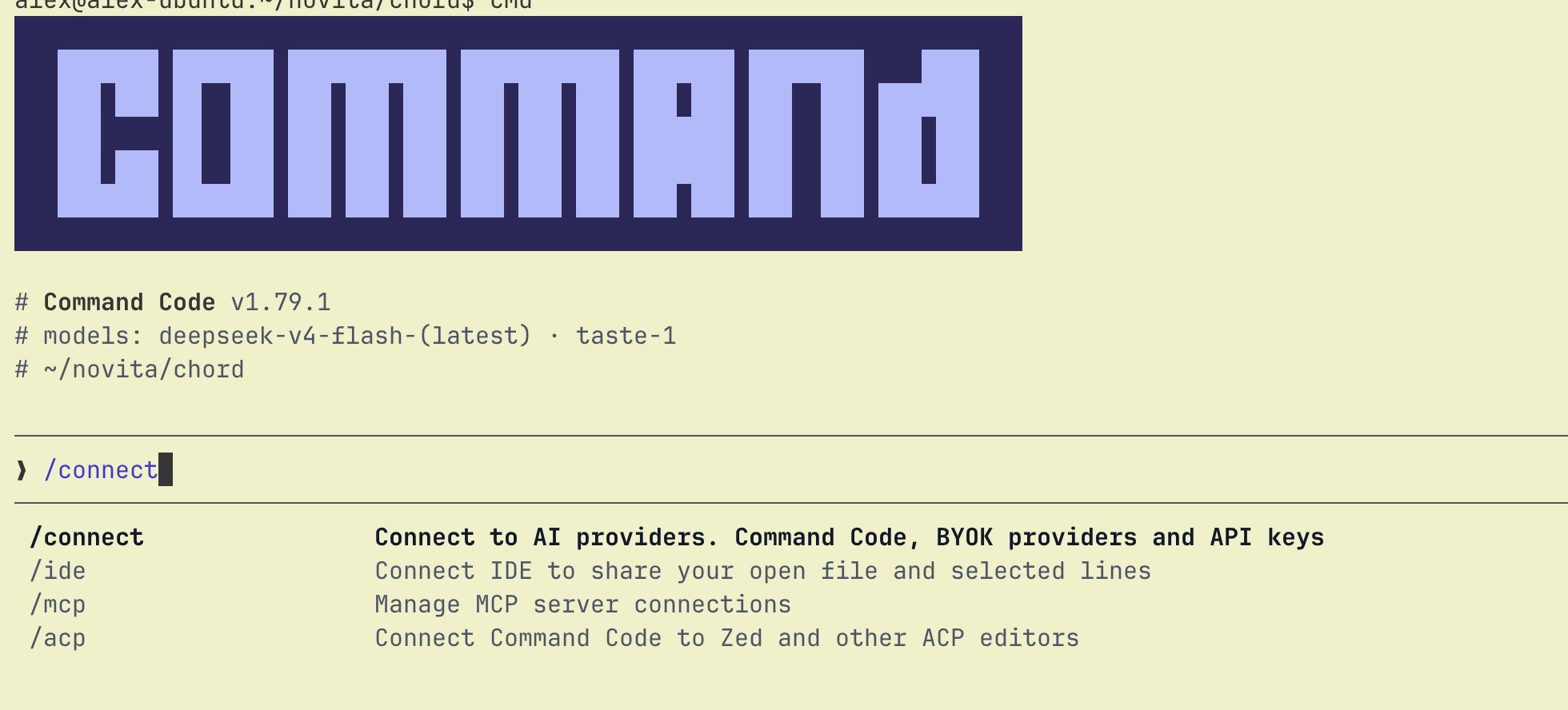
In a Command Code session, run:
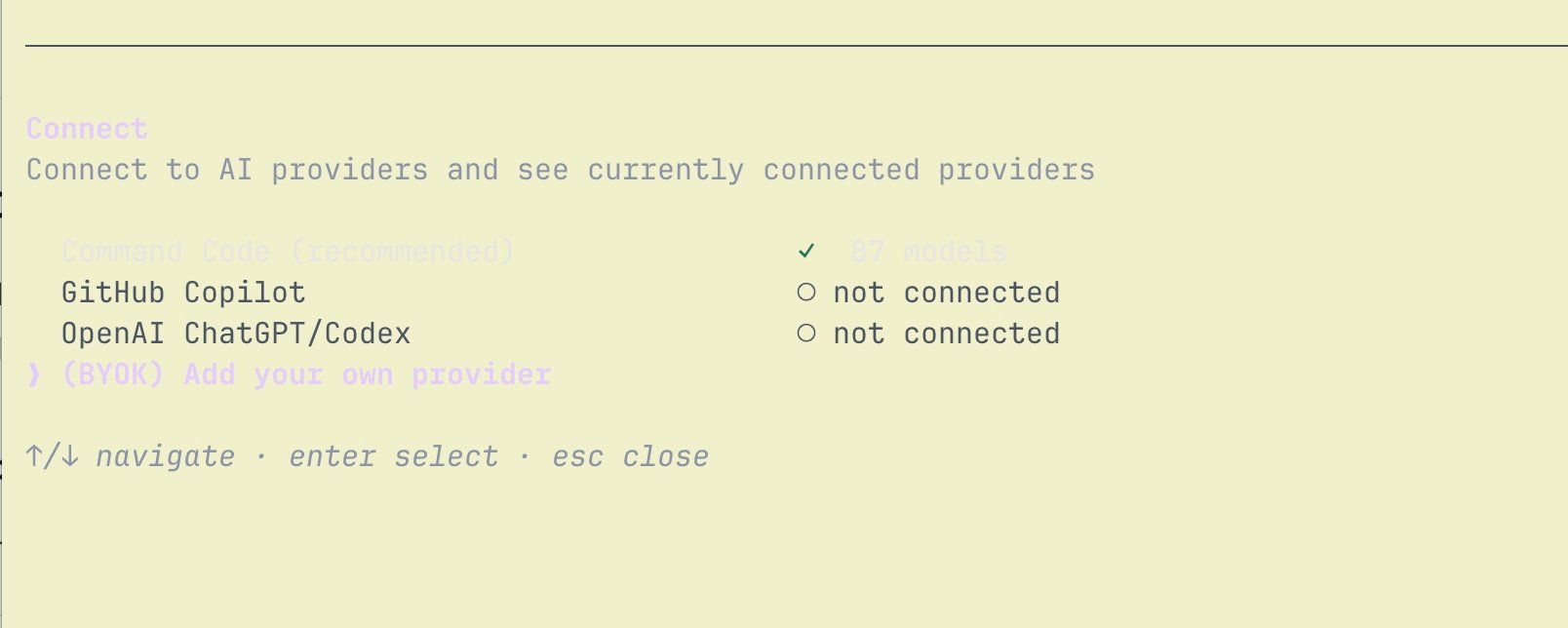
Select (BYOK) Add your own provider:
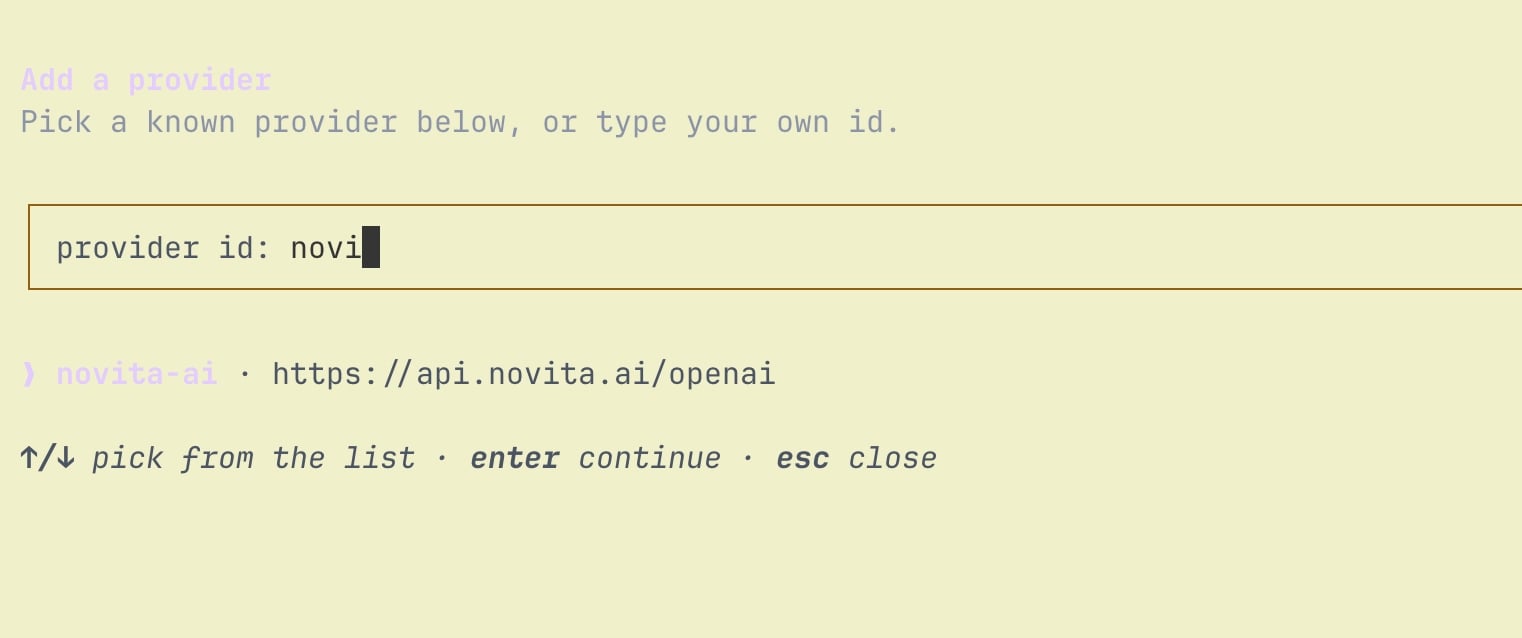
Type novita to find the bundled novita-ai provider entry (base URL https://api.novita.ai/openai) and select it:
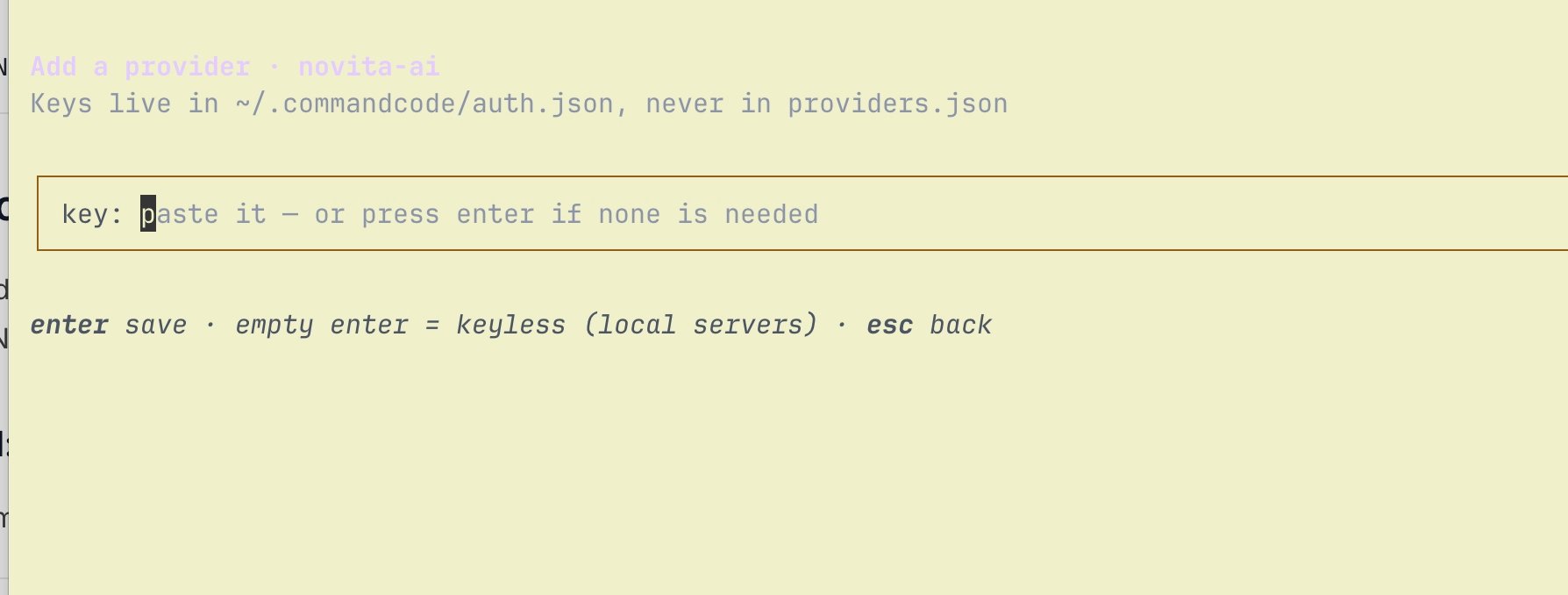
Paste your Novita API key when prompted. Command Code stores it in ~/.commandcode/auth.json, never in providers.json:
Novita’s models now appear under /model. Pick one and start coding.
Option 2: Edit providers.json directly
Open ~/.commandcode/providers.json and add a novita entry:
Novita’s /openai/v1 endpoint is OpenAI Chat Completions compatible, so you can omit the api field (it defaults to openai-completions). Add contextWindow per model if you want Command Code to show the correct context length instead of its 200K default; check the value for your model in the Model Hub. providers.json apply live. Reopen /connect or /model in Command Code to see the novita provider and its models.
Start Command Code
Go to your project directory and start Command Code:
Open the model menu and select a Novita model:
Send a test prompt:
If the request fails, check that:
NOVITA_API_KEY is available in the current terminal session, or the key is set directly in providers.json.- The model ID exactly matches the Model ID in Novita’s Model Hub.
baseURL is set to https://api.novita.ai/openai/v1.
Last modified on October 8, 2026